GiVo Stream is a modern media player for iPhone, iPad, and
Apple TV. Bring your own playlists and get a gorgeous guide, pause &
rewind on live streams, and a DVR that records right to your own
Mac, PC, or NAS.
iPhone · iPad · Apple TV
· DVR on macOS, Windows & Linux/NAS
See it in action
Real screens from GiVo Stream on Apple TV and iPhone.
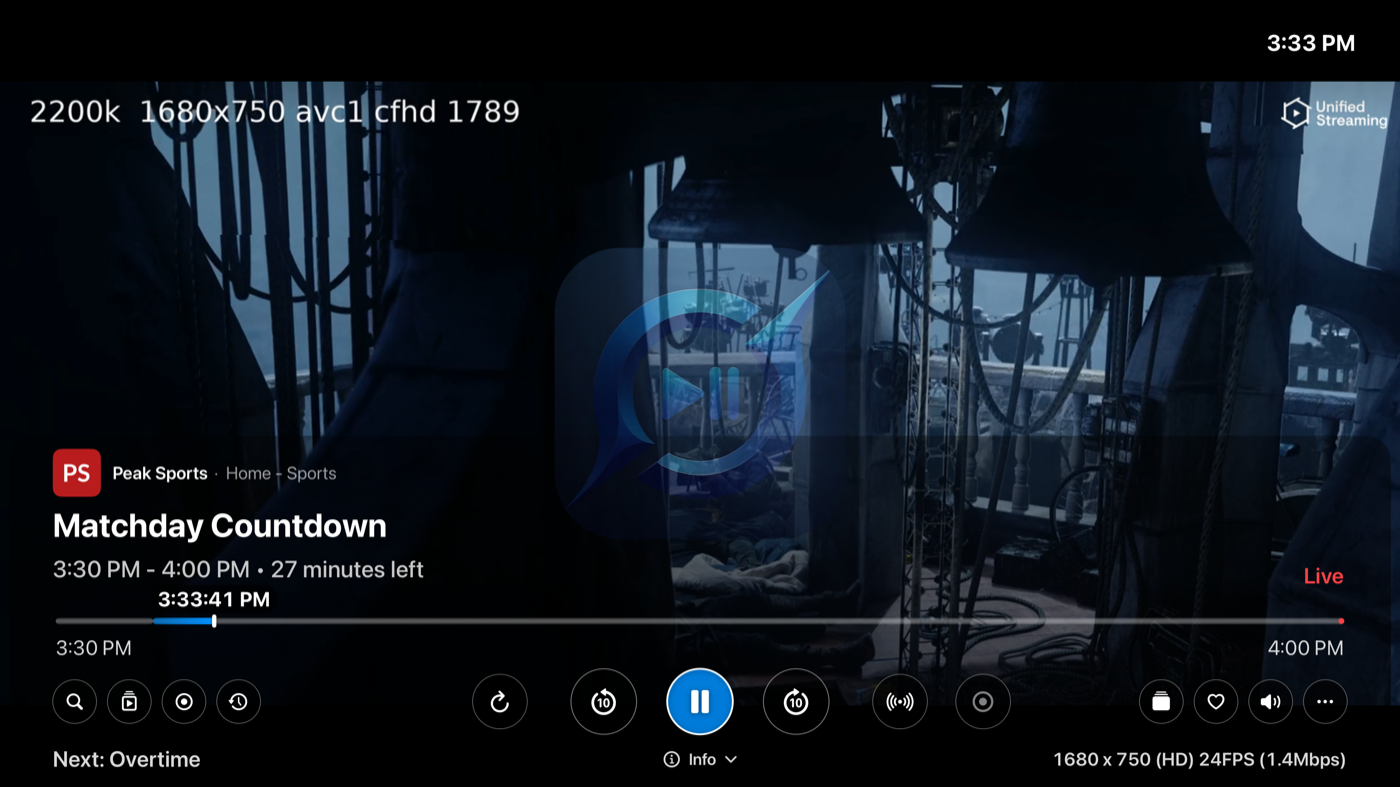
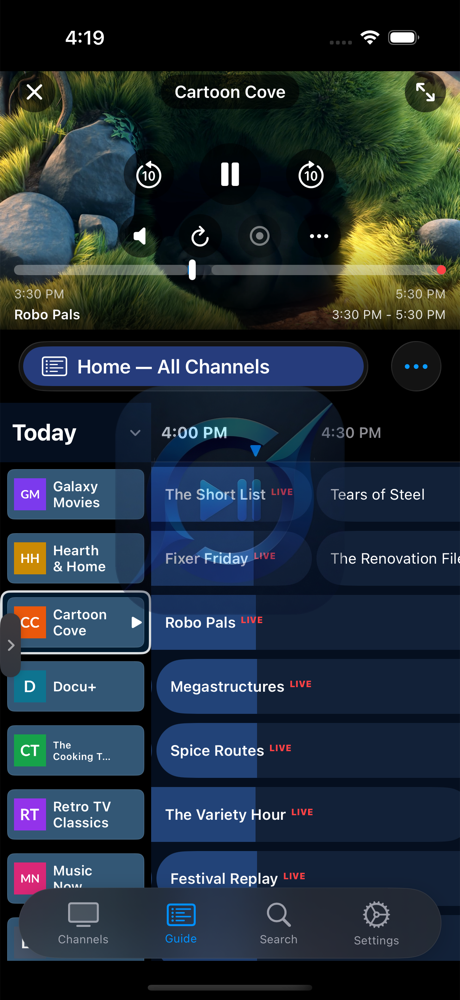
Fullscreen playback on Apple TV — scrub bar, skip controls, and one-tap record
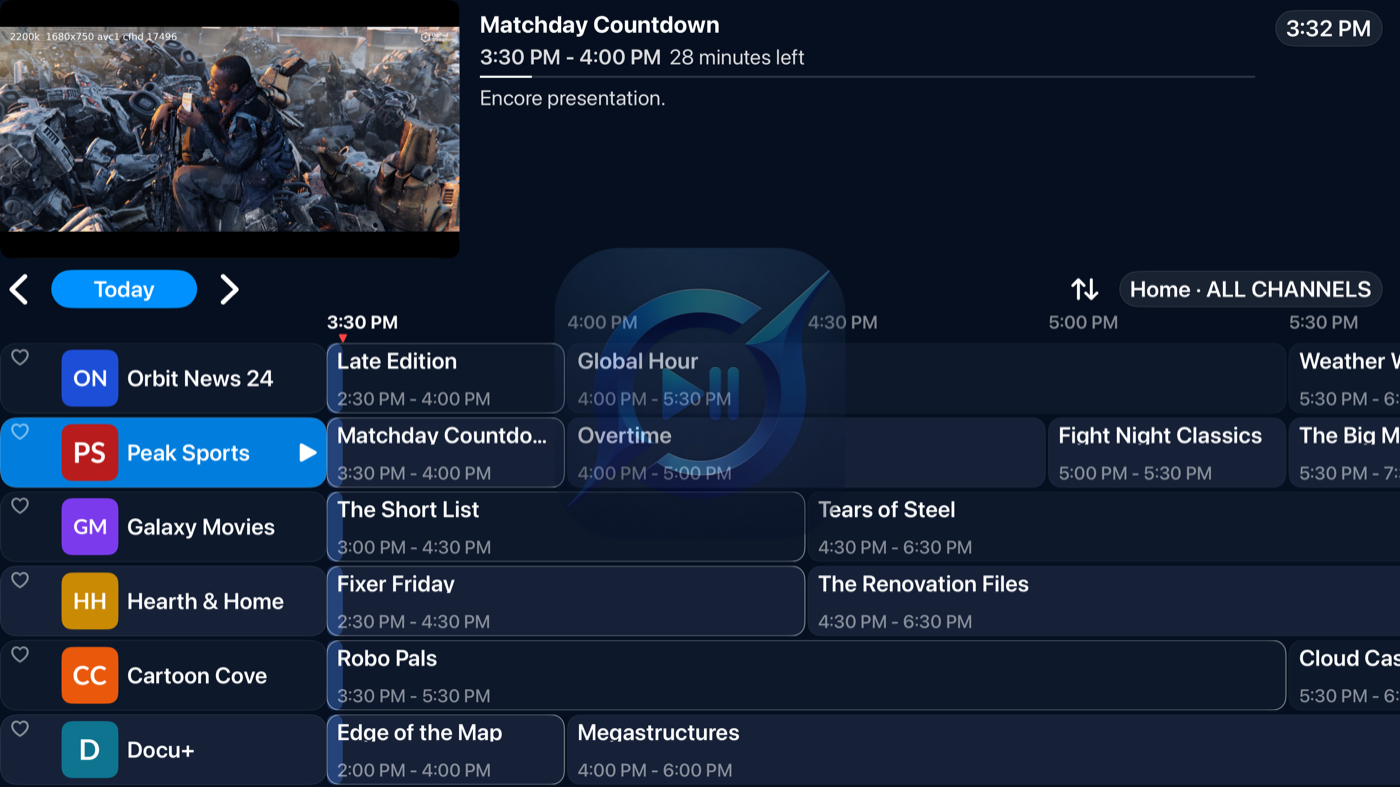
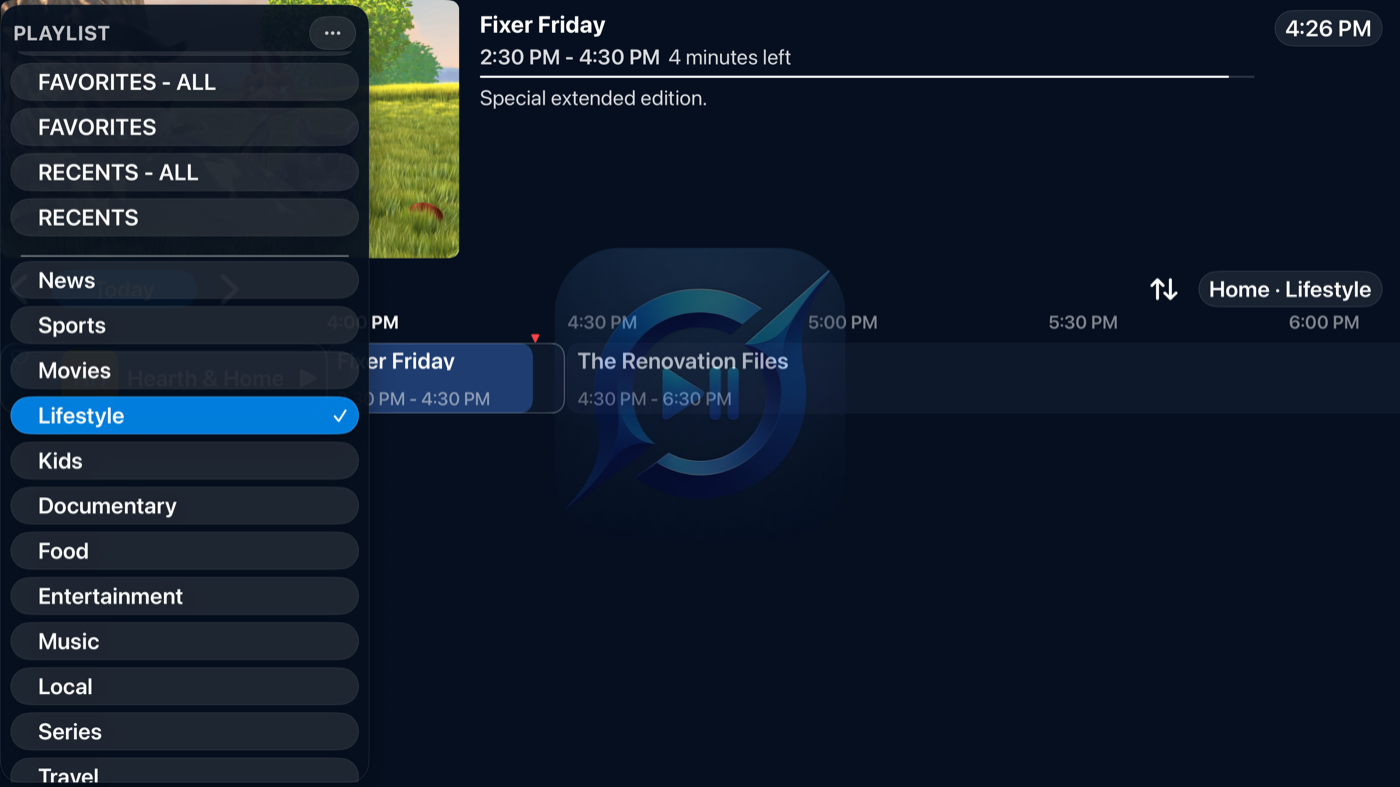
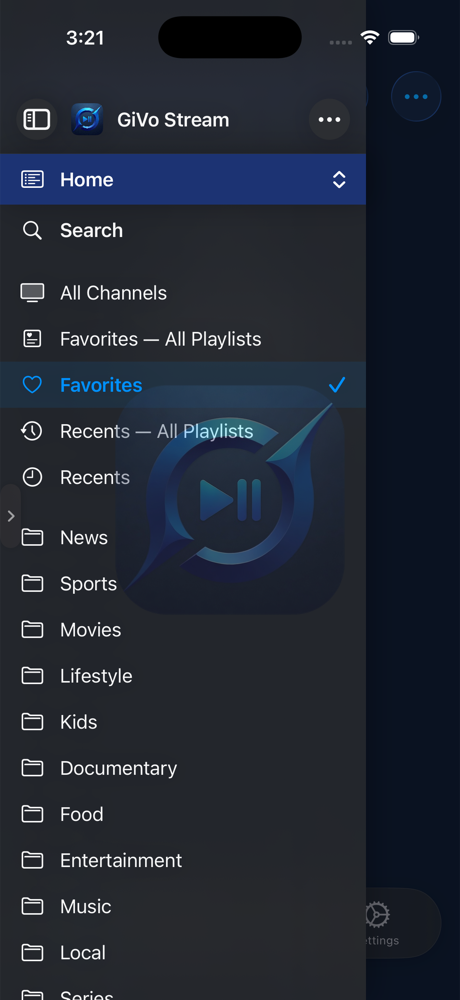
Playlists, favorites, recents, and categories — one sidebar away
The floating player — scrub, skip, and record in one tap
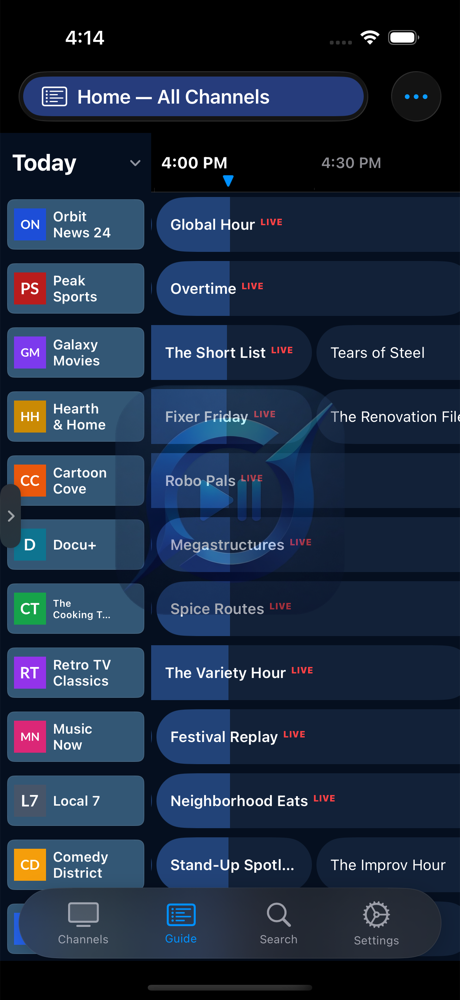
The guide on iPhone
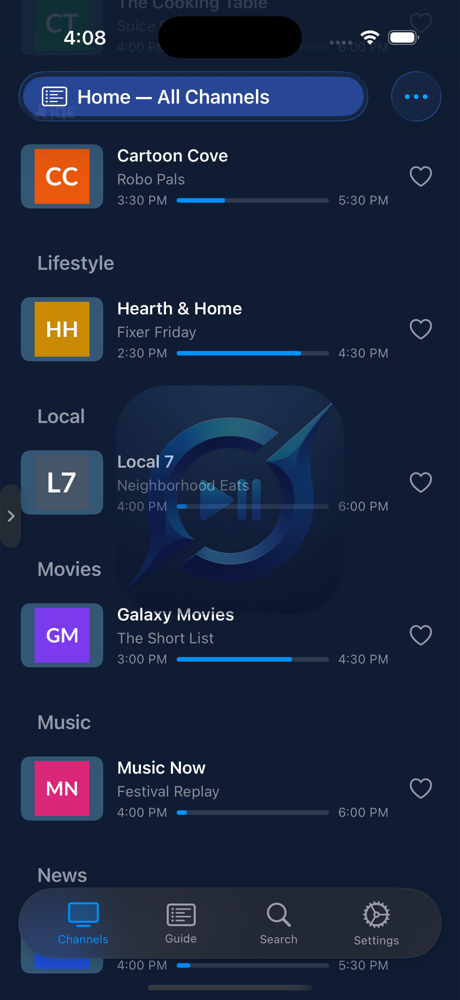
Channels with now-playing progress
The sidebar — playlists, search, and categories
Everything a player should have done years ago
No gimmicks — just the features you actually use, engineered
to stay fast with thousands of streams.
Pause & rewind live streams
Every stream gets a timeshift buffer the moment you tune in. Pause
for the doorbell, scrub back for the replay, snap back to the live
edge — with frame-accurate seeking, not guesswork.
A DVR you actually own
The GiVo Server app turns your Mac, Windows PC, or Linux/NAS
box into your personal DVR. One-tap record, scheduled recordings with pre/post
padding, and limits you control — recordings that are yours to keep.
Every device, one DVR
Pair your iPhone, iPad, and Apple TV with the same server. Set
a recording from the couch, watch it on the train. Recording badges
and schedules stay in sync everywhere.
One download for the whole household
Turn on Refresh on DVR Server and GiVo Server
fetches playlist, guide, and on-demand updates once, then hands them
to every paired device over your network. Each device keeps to its
own schedule — and if the server is ever offline, devices simply
refresh themselves and hand the job back. Nothing to manage.
Everyone gets their own
A profile is a whole separate setup — its own playlists, favorites,
recently watched, and look. Pick a name and an avatar, choose whether the
app asks who's watching at launch or just reopens the last
one, and set a PIN on any profile you'd rather keep to yourself. The Apple
TV in the living room can always open the family profile while your iPhone
reopens yours.
Share a profile with anyone
Send someone an invitation and they get that profile on their own
device — the same playlists, the same favorites, kept in step through
iCloud for both of you. You stay in control: you can see exactly who has
access, and they can leave at any time without touching your setup.
Commercial skip
Your GiVo Server finds the ad breaks in every finished recording
automatically. They appear as orange segments on the timeline — jump
past a break with one tap, or turn on auto-skip and never see it
at all.
A guide that keeps up
A beautiful program grid that scrolls smoothly through thousands of
streams, with search, favorites, and your provider's guide data —
you choose how much to keep.
Movies & series, on demand
Browse your provider's full on-demand catalog — posters, plots, cast,
and trailers. Resume where you left off, keep a watchlist, and save any
title to your DVR server. Add a TMDB key for even richer
artwork and details.
Multiview: several channels at once
Put up to four live channels on screen together in grid or spotlight
layouts. Tap any tile to change its channel, switch the audio, go
fullscreen, or rearrange — made for game day. On Apple TV, iPhone,
and iPad.
Catchup, done right
Providers' catchup archives play with instant, frame-accurate
scrubbing — GiVo Stream buffers the program in the background while
you watch, so skipping around feels effortless. Save any replay to
your DVR to keep it permanently.
Your playlists, as they are
M3U playlists, Xtream Codes logins and plain text lists,
with XMLTV guide data, auto-refresh on your schedule,
and instant switching between sources.
AirPlay & Chromecast
Send what you're watching to any big screen. Lock-screen and
Control Center controls work exactly like you'd expect.
Private by design
No accounts, no ads, no tracking. Your playlists and
credentials stay on your devices, and GiVo Server keeps your
recordings on your own Mac, PC, or NAS.
Read the privacy policy.
Honest engineering
Streams open in a couple of seconds. Recordings survive provider
hiccups with automatic reconnect and repair. When something's wrong,
the app tells you what — no silent spinners.
Sports Zone
Follow your teams and leagues. GiVo Stream finds every game in your playlists.
Follow your teams and leagues
Pick your teams and leagues, and Sports Zone goes through your playlists and finds every channel and program carrying them. Follow from a sports data source, or follow a team by name with no data source at all.
Live now and coming up
Home shows what's live and what's coming up for your teams. Pick a game and Watch On lists every channel carrying it, your favorite channels first. Hold a channel to set a reminder or record the game.
A page for every team and league
Live scores with the quarter, period or inning, where to watch, upcoming games, the last ten results, standings and stats. League pages add scores by day.
Your page, your way
Start from Game Day, Browse or Stats, or build your own layout. Each team remembers the layout you picked, and your layouts sync between your devices.
Scores from your own source
Connect BALLDONTLIE, SportsGameOdds, Highlightly, football-data.org, TheSportsDB or API-Sports with your own key. Free plans work, sources fall back to each other, and your devices share what they fetch.
Sports Sidebar on Apple TV
Your teams' scores, what's live and where to watch it, right over the player. Switch games without leaving full screen.
One docker compose up -d on your NAS or
home server — headless, always on. Native tarball and systemd unit
included for non-Docker setups.
Install and launch. GiVo Server lives in the menu
bar (Mac) or system tray (Windows) — or runs headless on Linux and
Docker — and starts its DVR engine automatically.
Pair your devices. In GiVo Stream, open
DVR → DVR Server. Your server is discovered
automatically — or add it by IP — then enter the pairing code from the
server's menu. Pairing is one-time per device.
Record anything. Tap record in the guide, watch
from any paired device, and manage everything right from the app.
Questions, answered
Does GiVo Stream include any content?
No. GiVo Stream and GiVo Server are media player applications —
they don't provide, include, or sell any channels, streams, or other
content. You add your own playlist sources, and you're responsible for
having the right to access and record what you watch.
Where do my recordings live?
GiVo Server for macOS, Windows, and Linux stores recordings on the
computer it runs on, and every paired device streams them from
there.
Do I need the server to use the app?
No — playback, the guide, and pause/rewind work on their own. The
server adds recording, scheduling, and watching your recordings from
every paired device.
What do I need to run GiVo Server?
Any Mac on macOS 13 Ventura or later (Apple silicon or Intel), a
64-bit Windows 10/11 PC, or a Linux machine (x64 or ARM64, including
Docker), on the same network as your devices. It's a lightweight
menu-bar/tray app — or a headless service on Linux — fine to run on
the computer you already use.
When does the app launch?
GiVo Stream is in the final stretch of App Store review prep. The
App Store links here will go live the moment it's approved.
Content disclaimer. GiVo Stream and GiVo Server are
media player applications. They do not provide, include, bundle, or sell
any channels, streams, or other media content. You supply your own
playlist sources, and you are responsible for ensuring you have the
right to access and record any content you use with the apps.